Order
Order management for electricians: from the phone call to the handover
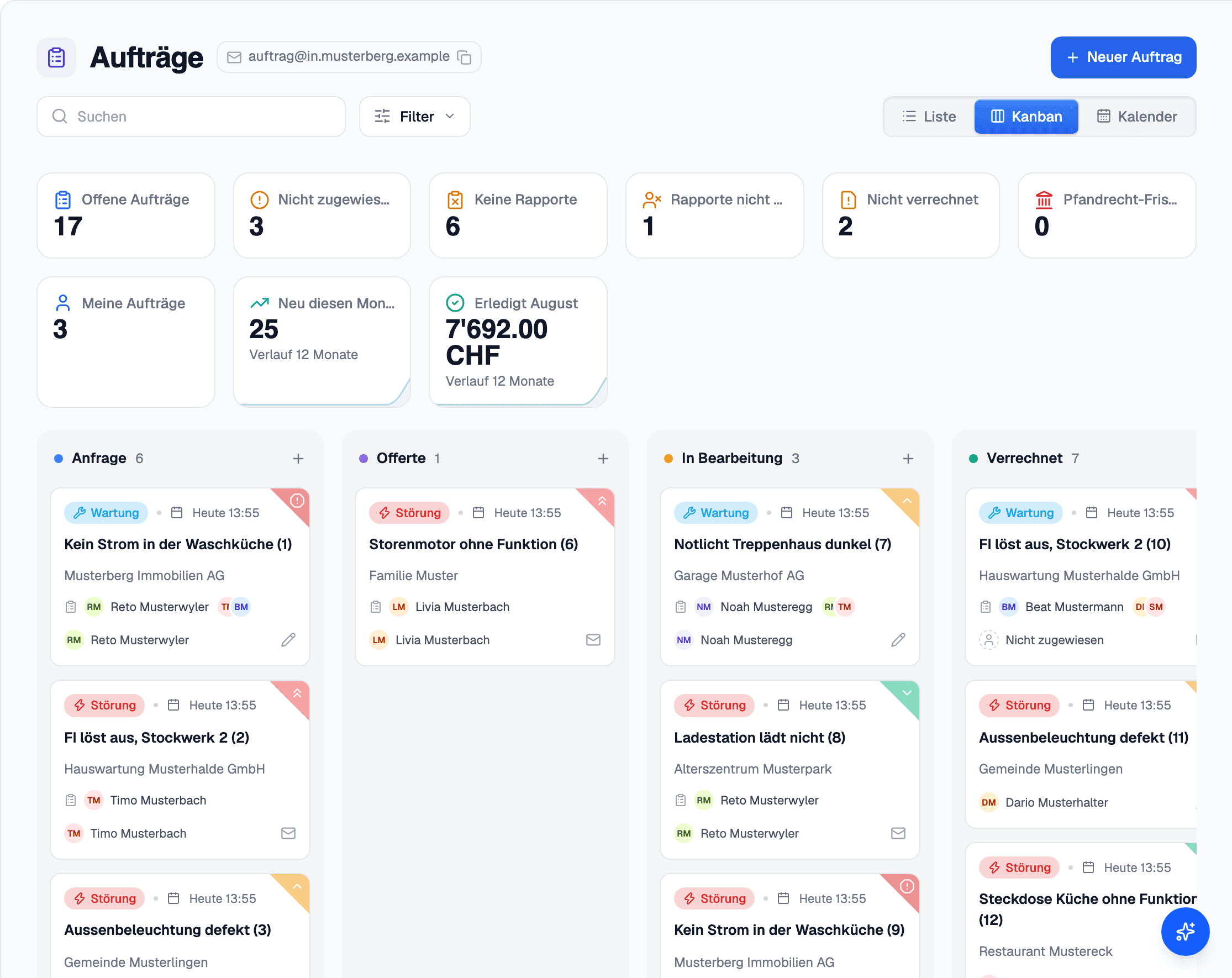
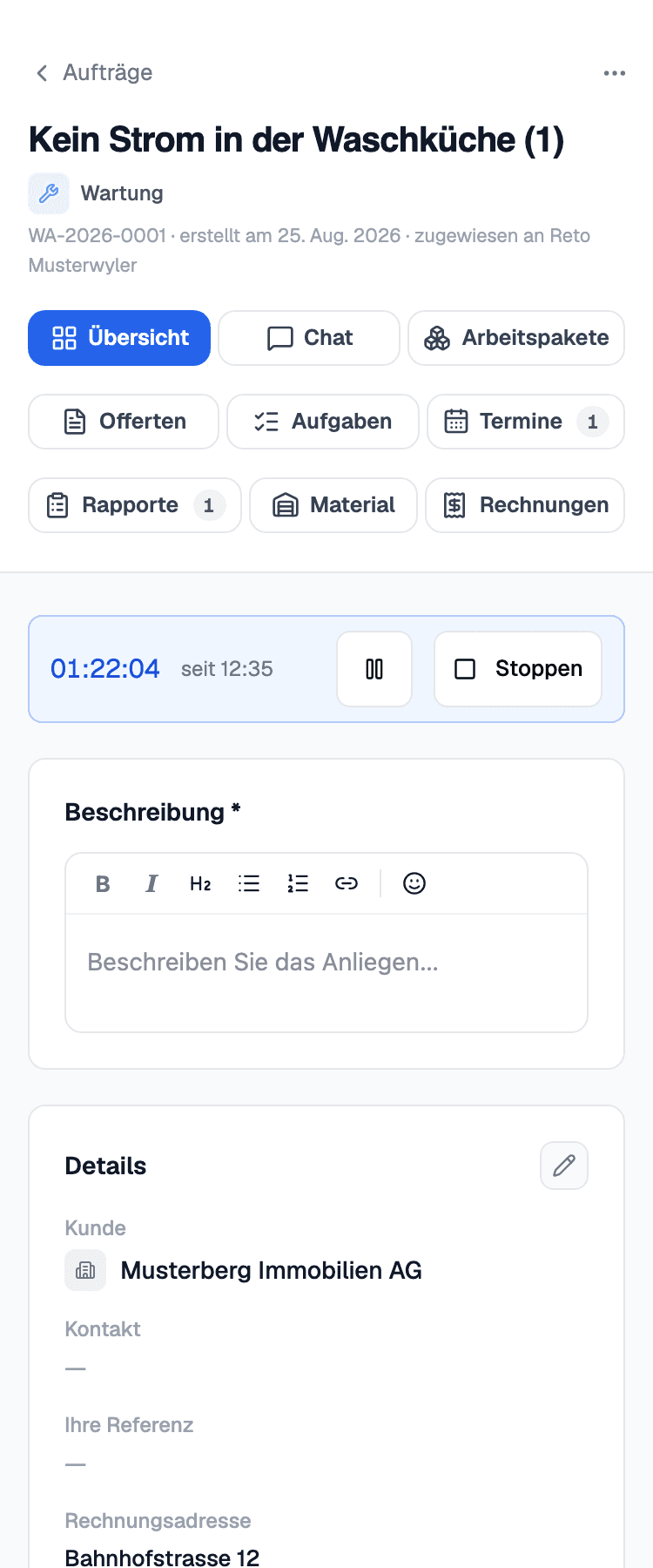
What comes in becomes an order, gets a date and a crew. The office and the Monteur see the same order — the office on the screen, the Monteur on the phone.
What you do with it
From the phone call to the handover
List or Kanban board
The same orders as a list or as a board, with your own statuses and priorities. The status follows the Rapporte and the invoice instead of being updated by hand.
Appointment, crew, deadline
Appointments with a reminder for the customer, in your own Outlook calendar if you want. The crew is assigned, and deadlines sit on the order in deadline types of your own.
Larger construction projects
Lots and stages on a timeline, with the staff each stage needs and a Gantt with the Rapporte on it. The workload is shown per week.
Who, when, for how much
Placed on, placed by and recorded by sit in the header. You see open invoices and the margin on the order, and you bill straight from it.
Everything in this area
- Dashboard
- Orders
- Kanban board
- Tasks
- Task templates
- Scheduling a task
- Appointments
- Appointment reminder for the customer
- Appointments in your own Outlook calendar
- Crew assignment
- Work packages
- Order types with their own number range
- Your own statuses and priorities
- Order templates
- The building owner
- Placed on, placed by, recorded by
- A deadline on the order
- Project deadlines in deadline types of your own
- The status follows the Rapporte and the invoice
- Billing straight from the order
- Photos and documents, filed on the Objekt
- Construction projects, lots and stages
- Stages on a timeline
- The staff each stage needs
- A Gantt with the Rapporte on it
- Workload per week
- An order marked as a favourite
- Open invoices and margin on the order
- Search across everything an order holds
- Filter by the people on its Rapporte
- Merging orders without losing anything
Matching integrations
Related articles
Better seen than read
45 minutes using one of your jobs: from capture on site through to the certificate and invoice.