Google Workspace
Google Workspace for electricians: every appointment in Google Calendar
Your business works with Google Workspace? Then every appointment somebody is assigned to lands in their Google Calendar.
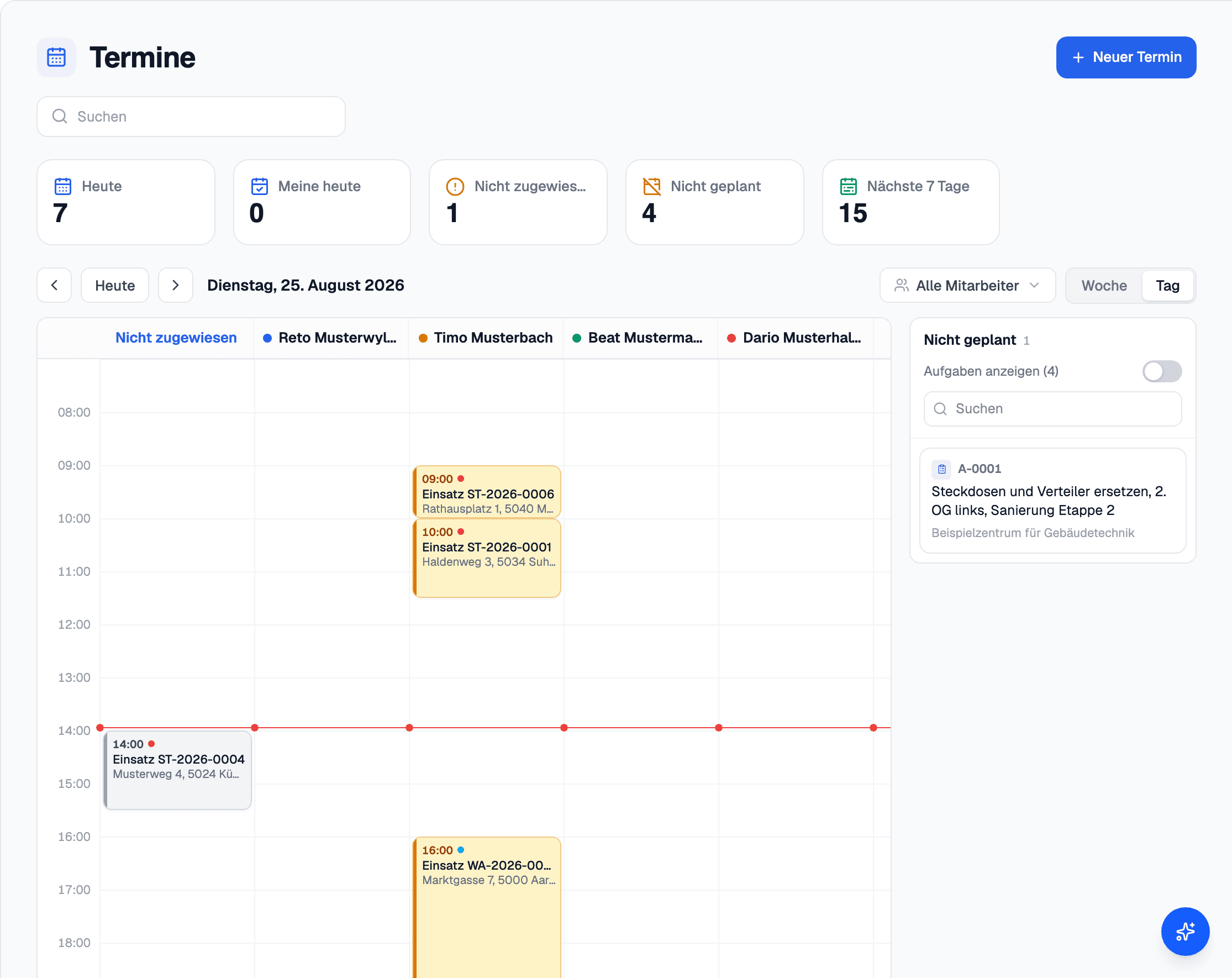
In elektro.box
What the integration does
Appointments go into the Google Calendar of the person assigned, and changes follow. Back, elektro.box reads only when somebody is busy; the titles of other entries stay unread.
It is set up once for the whole business, and elektro.box checks the delegation before it is saved.
Data flow
What goes in which direction
From elektro.box to Google Workspace
- Appointments into the Google Calendar of the person assigned
From Google Workspace to elektro.box
- Busy times, so that the planning shows double bookings
Setup
What your business sets up
- 01
Choose the tile
Under Settings › Integrations, choose «Google Workspace». This is reserved for the owner account.
- 02
Delegation in the Admin console
The Workspace administrator copies the client ID and the scope into the Google Admin console and grants domain-wide delegation for that one scope.
- 03
Enter the admin address
Enter the administrator's email address. elektro.box checks the delegation and saves the connection.
What it does not do
What is connected is the calendar. Gmail as a mailbox is not available yet; you forward emails to your business's inbound address.
Show us what you work with today.
45 minutes, at your place or on screen. We go through your programs and tell you what can be connected and what stays as it is.