Vehicles and machines
Vehicles and machines in the electrical business: who drives what, what is free, what is due
The fleet and the machine pool are in one place. What falls due speaks up beforehand, and what was used on site is on the Rapport.
What you do with it
Who drives what, what is free, what is due
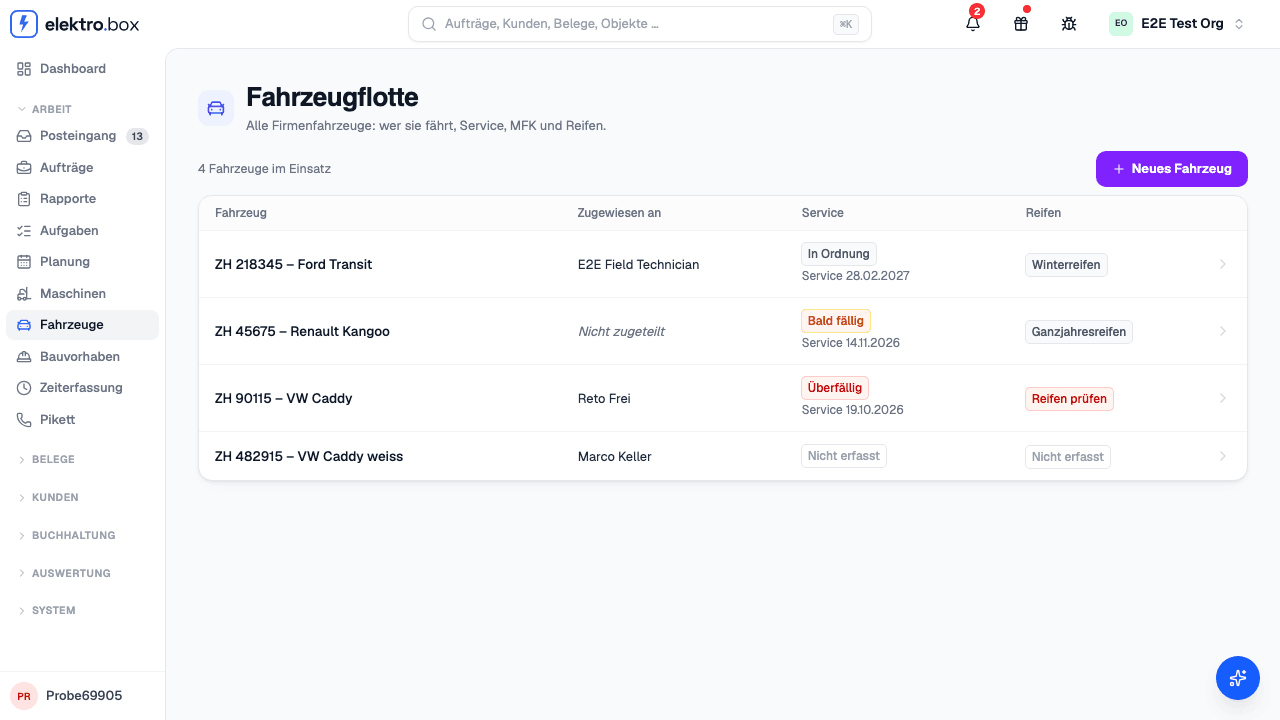
The fleet at a glance
Who has which vehicle, with history. Service by date or mileage, the MFK inspection, summer and winter tyres with their storage location — with a reminder before something falls due, and another once it has been missed.
The Monteur and his vehicle
«Report damage», «Report a defect» and the «Vehicle check» at hand-over and return, with photos from the phone. The vehicle registration and insurance are there too. He sees only his own vehicle.
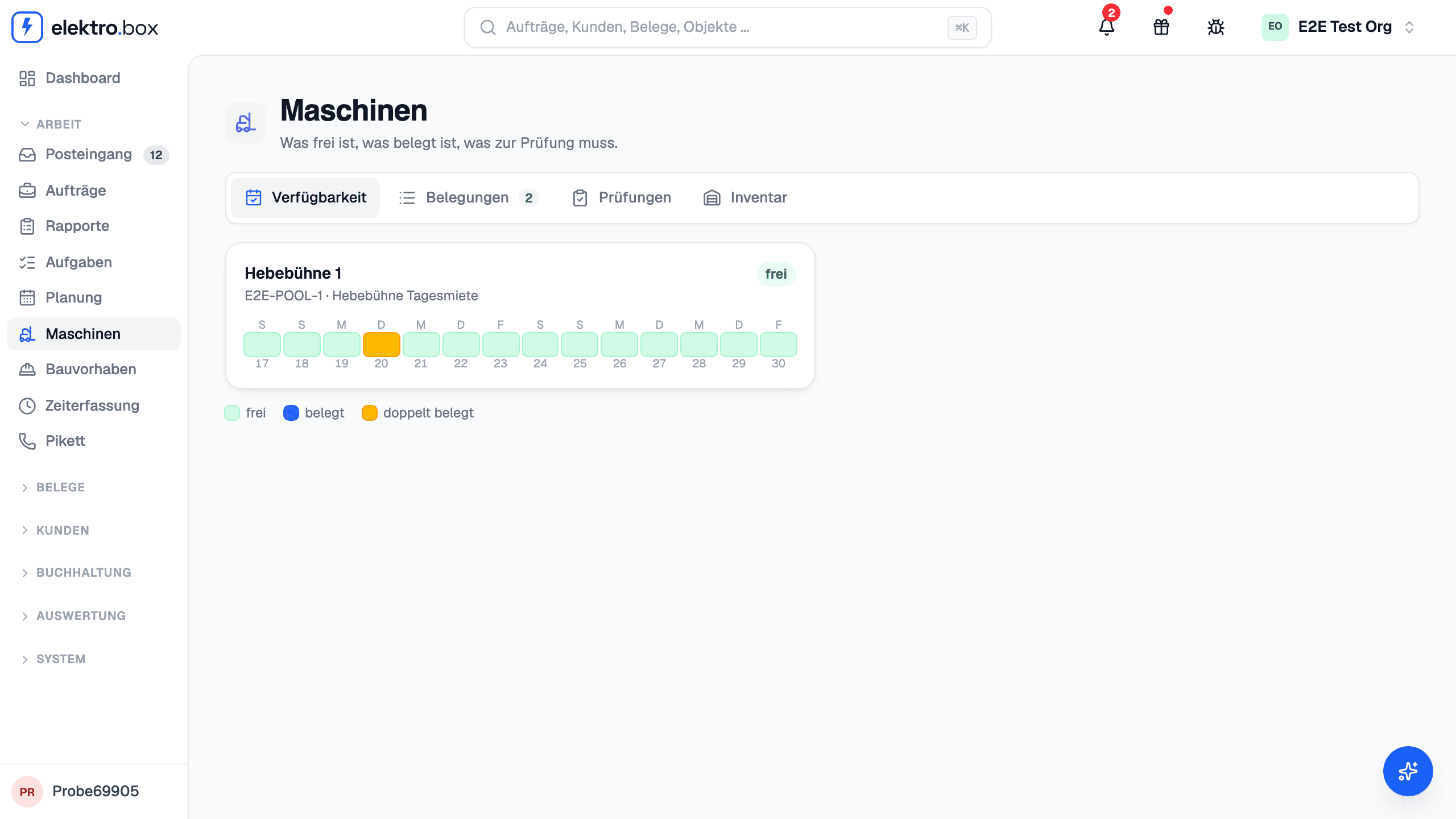
The machine pool
Availability, bookings, inspections and inventory. A machine is booked onto the appointment, has its own row in the planning and is billed on the Rapport.
Scan instead of search
Every machine gets a QR label; a scan with the phone books it. The scanner also puts material and delivery notes onto today's Rapport — and shows no prices.
Everything in this area
- Vehicle fleet
- Who has which vehicle, with history
- Service by date or mileage
- MFK vehicle inspection
- Summer and winter tyres, with storage location
- A reminder before service, MFK inspection and tyre change
- «Report damage» and «Report a defect», with photos
- «Vehicle check» at hand-over and return
- Odometer reading from the Monteur
- Vehicle registration and insurance on the phone
- The Monteur sees only his vehicle
- Machine pool
- Availability, bookings, inspections, inventory
- Booking a machine onto the appointment, double bookings marked
- A row of its own per machine in the planning
- Billing a machine on the Rapport
- A QR label per machine
- Scan and book with one tap
- The scanner shows no prices
Better seen than read
45 minutes using one of your jobs: from capture on site through to the certificate and invoice.