Your files in OneDrive too
Connect Microsoft 365 and choose a folder – elektro.box puts every photo, plan and document of your orders and properties there, and takes in what you add in OneDrive.
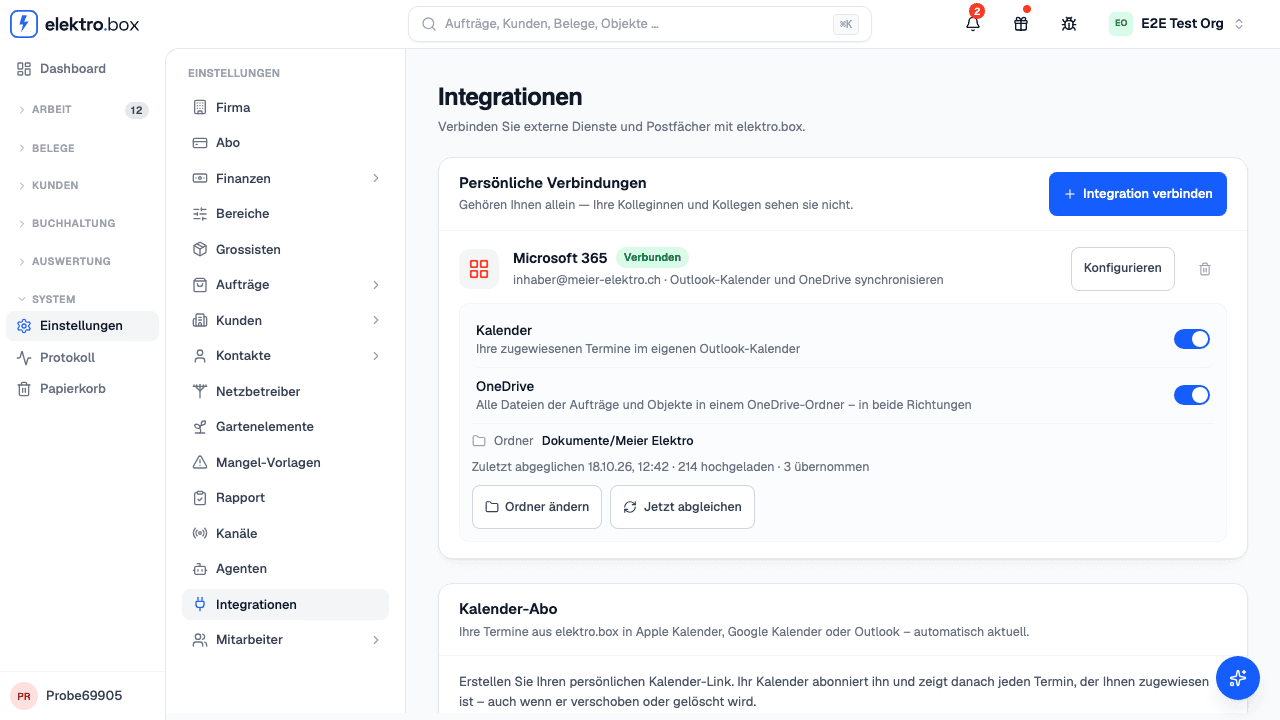
Under Settings → Integrations, connect Microsoft 365, switch OneDrive on and choose a folder. Inside it elektro.box creates an «Orders» and a «Properties» folder – one folder per order, named by its number and subject, and one per property, named by its address. Photos, delivery notes, measurement reports and issued documents land there on their own; a file you put into such a folder in OneDrive appears on the order. If you delete a whole folder in OneDrive, everything in elektro.box stays.