Sage 50
Sage 50 for electricians: the receivables as a Beam file
Your books are kept in Sage 50, you write invoices in elektro.box. Between the two sits a file: the receivables, prepared the way Sage reads them through its accounting interface.
In elektro.box
What the integration does
Under Receivables › Export, elektro.box writes the invoices your list currently shows into a Beam file. Sage creates the address, the customer account and the open item from it and books the revenue.
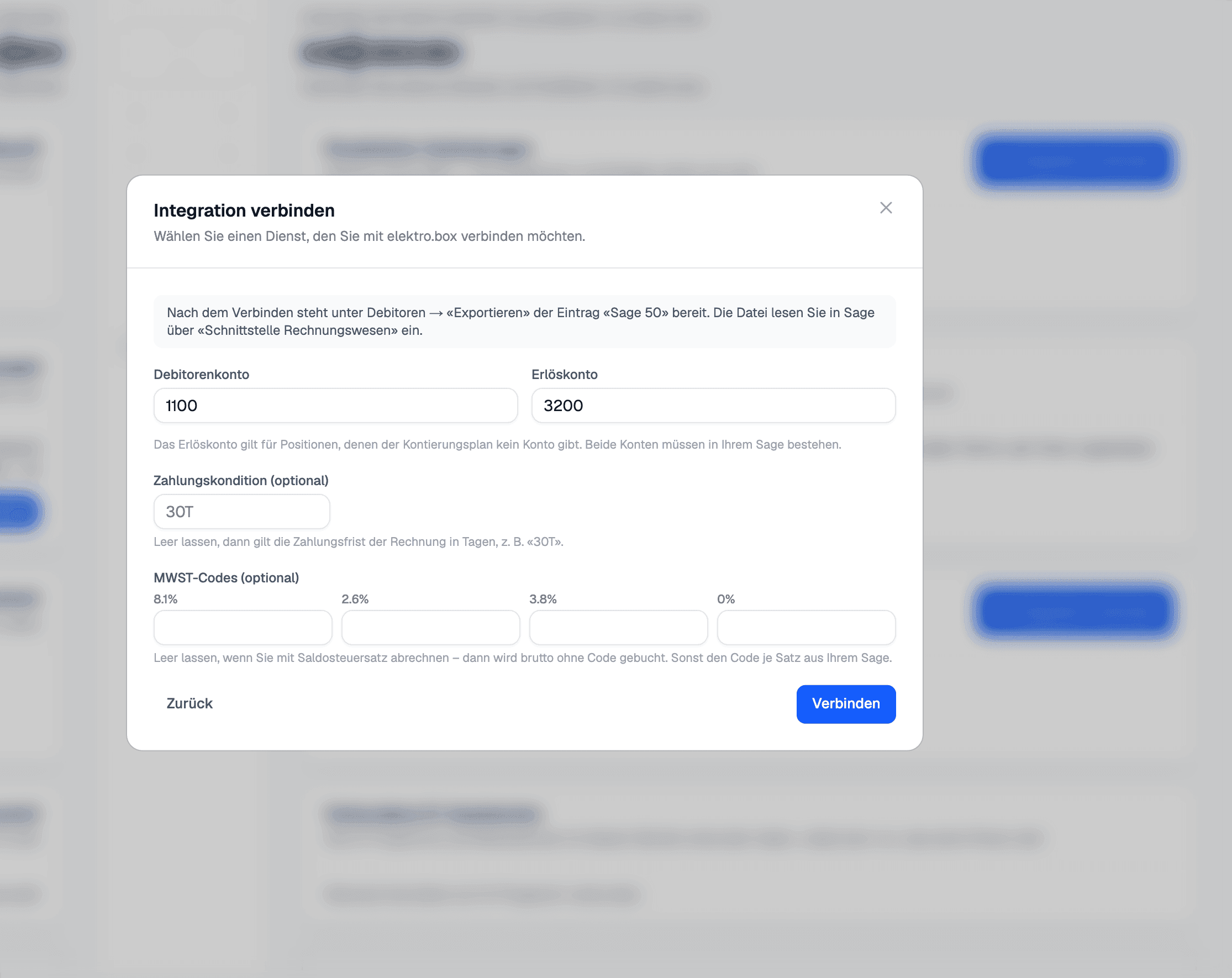
The file carries the customer number, the invoice's QR reference, the revenue account from your account plan and, if you want them, your Sage's VAT codes. Left empty, invoices are booked gross, as at a net tax rate.
Data flow
What goes in which direction
From elektro.box to Sage 50
- The invoices of the receivables list, as a Beam file with address, customer account and open item
From Sage 50 to elektro.box
Nothing — this direction deliberately does not exist.
Setup
What your business sets up
- 01
Open the tile
Under Settings › Integrations, choose the «Sage 50» tile and connect. The payment terms code and the VAT codes are optional.
- 02
Get the file
In Receivables, click «Export» and «Sage 50». The file holds what the list shows with your filters.
- 03
Read it into Sage
In Sage 50, read the file in through «Schnittstelle Rechnungswesen» in customer mode.
What it does not do
A file, not a live connection: nothing is read back from Sage, and you match incoming payments in elektro.box from the bank statement. Sage needs a customer number with digits for every customer.
Where you see it day to day
Show us what you work with today.
45 minutes, at your place or on screen. We go through your programs and tell you what can be connected and what stays as it is.