camt.053 and camt.054
camt import for electricians: the incoming payment finds its invoice
Every Swiss bank supplies camt.053 and camt.054 to ISO 20022. With the QR reference attached, an incoming payment matches itself, and the only thing left open is what is genuinely open.
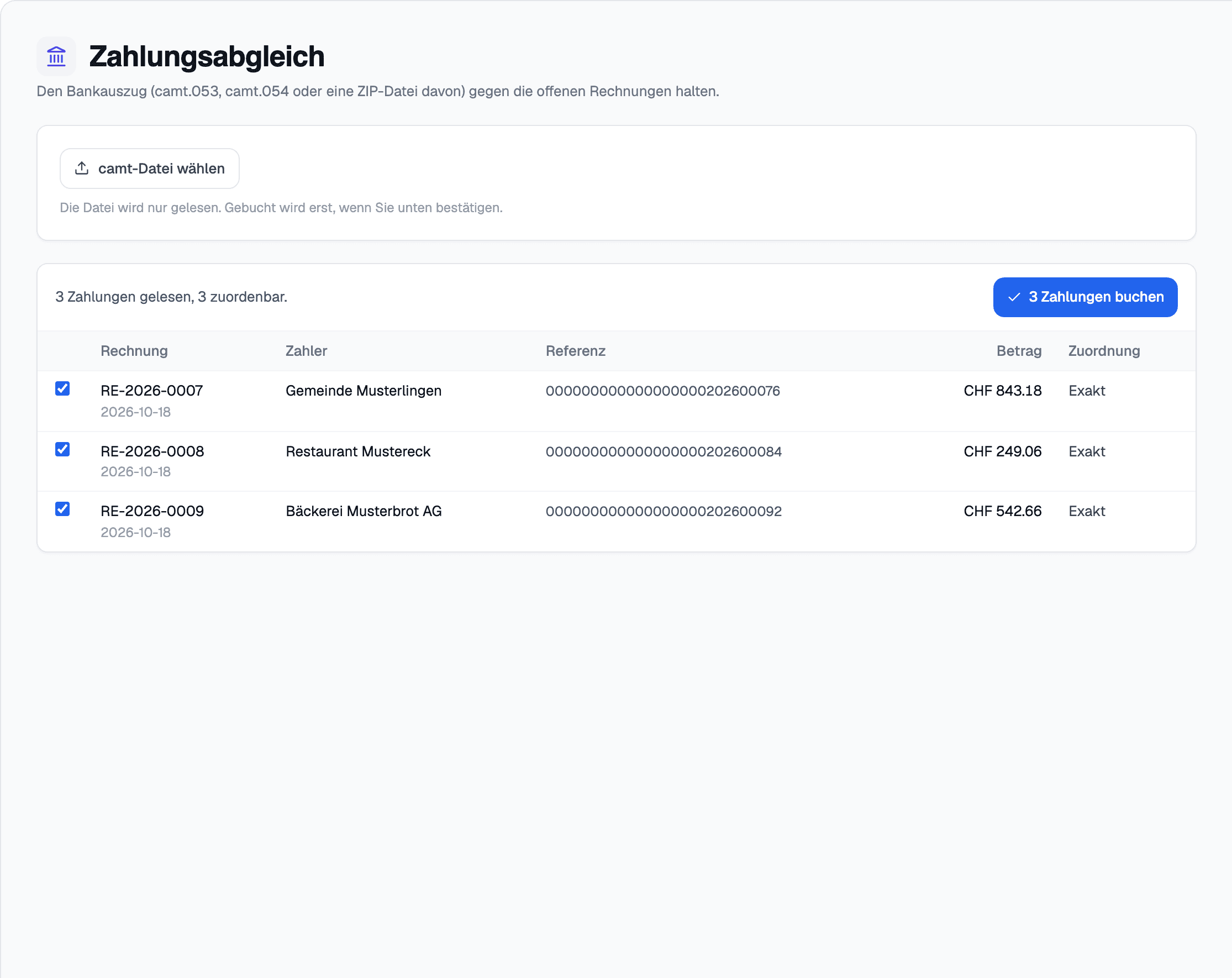
In elektro.box
What the integration does
You upload the file from e-banking, see a preview and apply it. Every incoming payment is matched to its invoice through the QR reference, and a batch booking is split per payer.
In the other direction, elektro.box writes pain.001 payment files for suppliers and wages, which you upload in e-banking.
Data flow
What goes in which direction
From elektro.box to camt.053 and camt.054
- Payment orders to suppliers and employees as pain.001
From camt.053 and camt.054 to elektro.box
- Bank statement and payment advice as camt.053 or camt.054
Setup
What your business sets up
- 01
Get the file
Download the bank statement as a camt file from your bank's e-banking.
- 02
Read it in
Upload it under Payments, check the preview and apply it.
What it does not do
A file, not a direct bank connection: elektro.box does not talk to the bank itself, and whatever arrives without a QR reference you match by hand.
Where you see it day to day
Related articles
Show us what you work with today.
45 minutes, at your place or on screen. We go through your programs and tell you what can be connected and what stays as it is.