Scheduling
Scheduling for electrical businesses: who drives where, and for how long
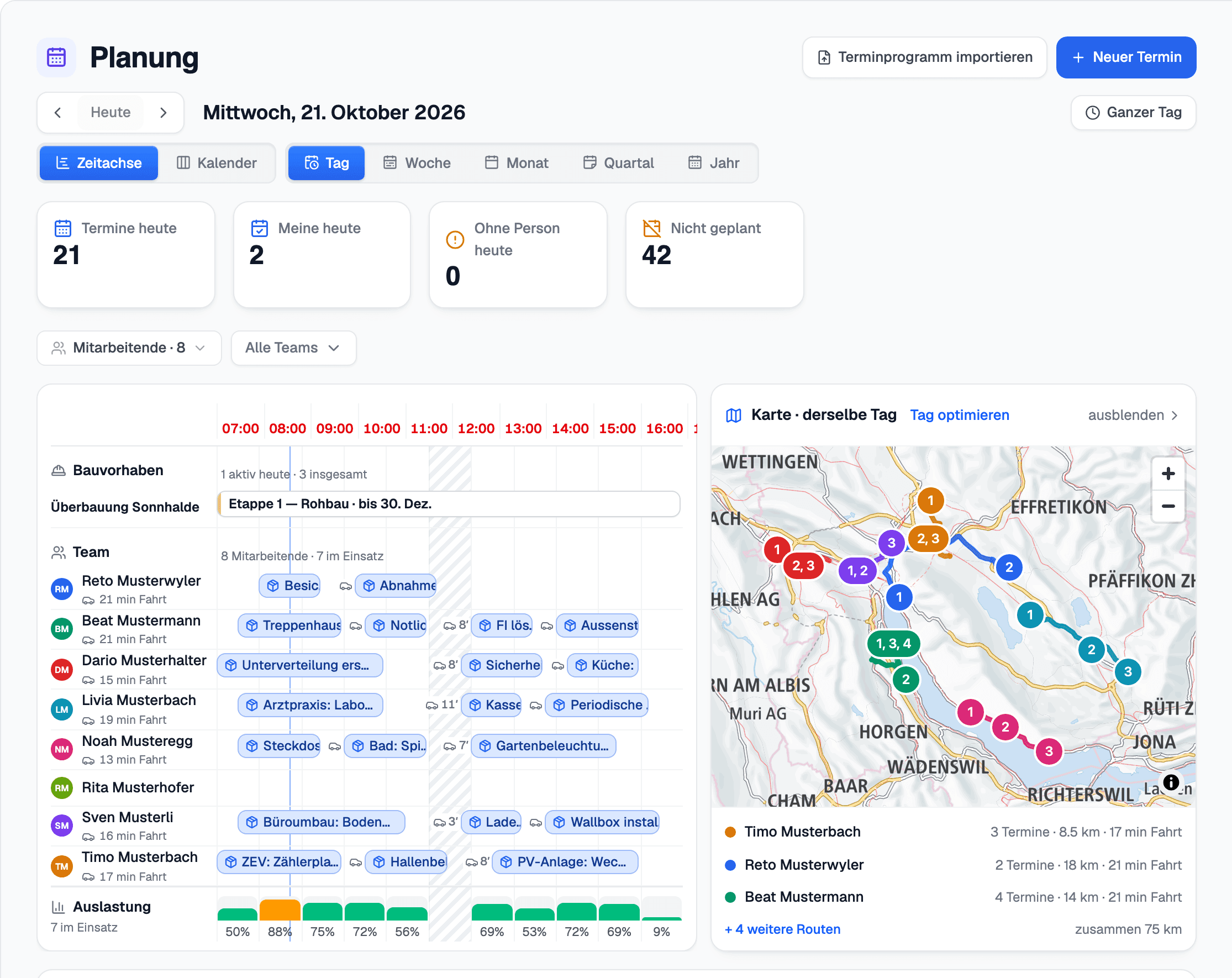
The day is on the map rather than in a column: who is working, where the sites are and how long it takes to get between them.
What you do with it
Who drives where — and how long the drive takes
The crew's week
Who is working, who is away, and which Rapporte with no date are waiting in «Not scheduled». Work that spans several days is planned here too, and an assignment can be cleared again.
Driving times measured, not assumed
The route for each Monteur is on the map, with the measured driving times between the sites. The deadline and the double booking show up where you plan.
A proposal, never a booking
«Optimise day» proposes an order of visits and takes qualifications and «Has been there before» into account. The proposal is only adopted when you apply it.
A map on the phone
The Monteur sees his day as a map; a tap opens Google Maps with the next address.
Everything in this area
- Scheduling
- The crew's week
- Who is working, who is away
- The day on the map
- Driving times measured, not assumed
- «Optimise the day» — a proposal, never a booking
- «Plan the day» by hand
- The deadline and the double booking, where you plan
- A route per Monteur
- Qualifications per employee
- «Has been there before»
- Work that spans several days
- Rapporte with no date wait in «Not planned»
- Clear the assignment
- On the phone a picture, and a tap opens Google Maps
Matching integrations
Better seen than read
45 minutes using one of your jobs: from capture on site through to the certificate and invoice.