Appointments straight into Outlook and Google Calendar
With Microsoft 365 or Google Workspace, every appointment lands in the assigned person's calendar – and the schedule shows when someone is already busy there.
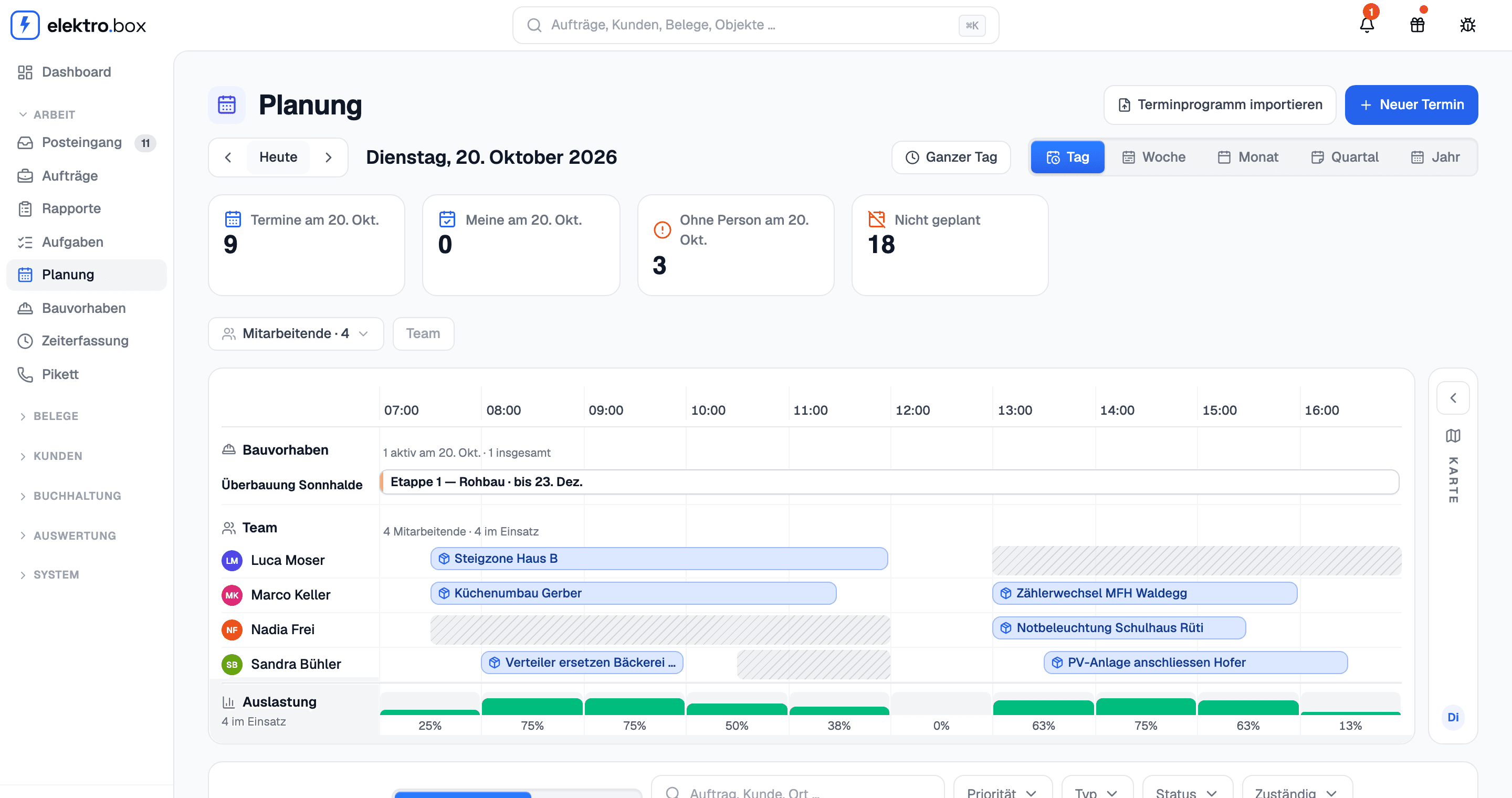
An administrator of your Microsoft 365 or Google Workspace connects the company once under Settings → Integrations. From then on, every appointment appears in the calendar of the person it is assigned to as soon as it is saved – in Outlook or in Google Calendar, on the computer and on the phone. When it is moved, handed to someone else or deleted, the calendar follows within seconds. Nobody has to connect anything themselves.
In the other direction, the schedule shows busy time from Outlook or Google Calendar as a grey band in that person's row – the time only, never the title. So no appointment gets booked over a doctor's visit or an afternoon off. Private entries stay private: Kundenbox only reads when someone is busy, and never changes anything it did not write itself.