Share specific files with field staff
Decide per order which plans and documents your field staff see – with one tap on the hard hat next to the file.
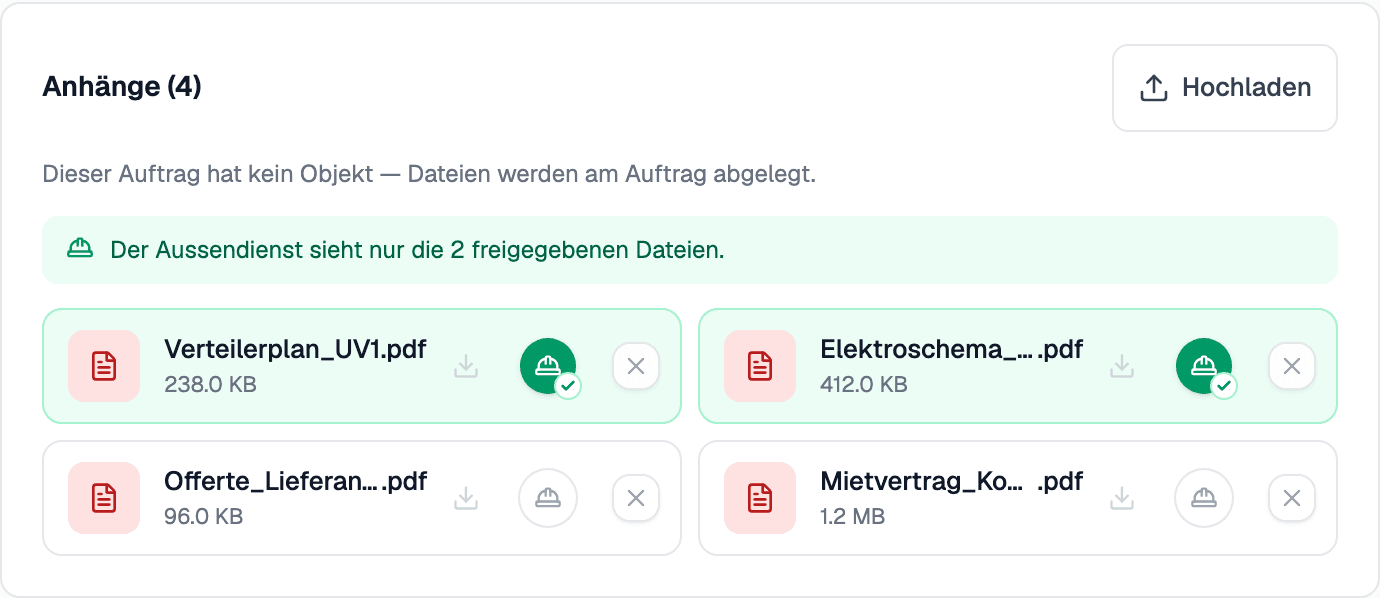
On an order's «Attachments» card, every file now has a hard hat beside it. As long as none is green, field staff see every file, as before. As soon as you share one, they see only the shared files – the wiring diagram and the distribution board plan, say, but not the supplier's quote or the lease. Shared files are highlighted in green, and a line above them always says what field staff can currently see.
Sharing applies on the phone as well as in the browser: files you keep back disappear from the device at the next sync. Photos field staff take themselves, and the pictures in their Rapporte, always stay visible. Files filed under the Object are shared in the same section.